
Stop losing money on the shelf
A pharmacy loses money two quiet ways: drugs that expire before they sell, and drugs that run out while customers wait. HaxenMed keeps both in view.
Every drug, with its batch and expiry date
- Name and generic name, category, form and strength, manufacturer.
- Batch number, barcode and expiry date.
- Cost price and selling price, and a discount for the drug if you give one.
- A reorder level: the stock below which the drug counts as low.
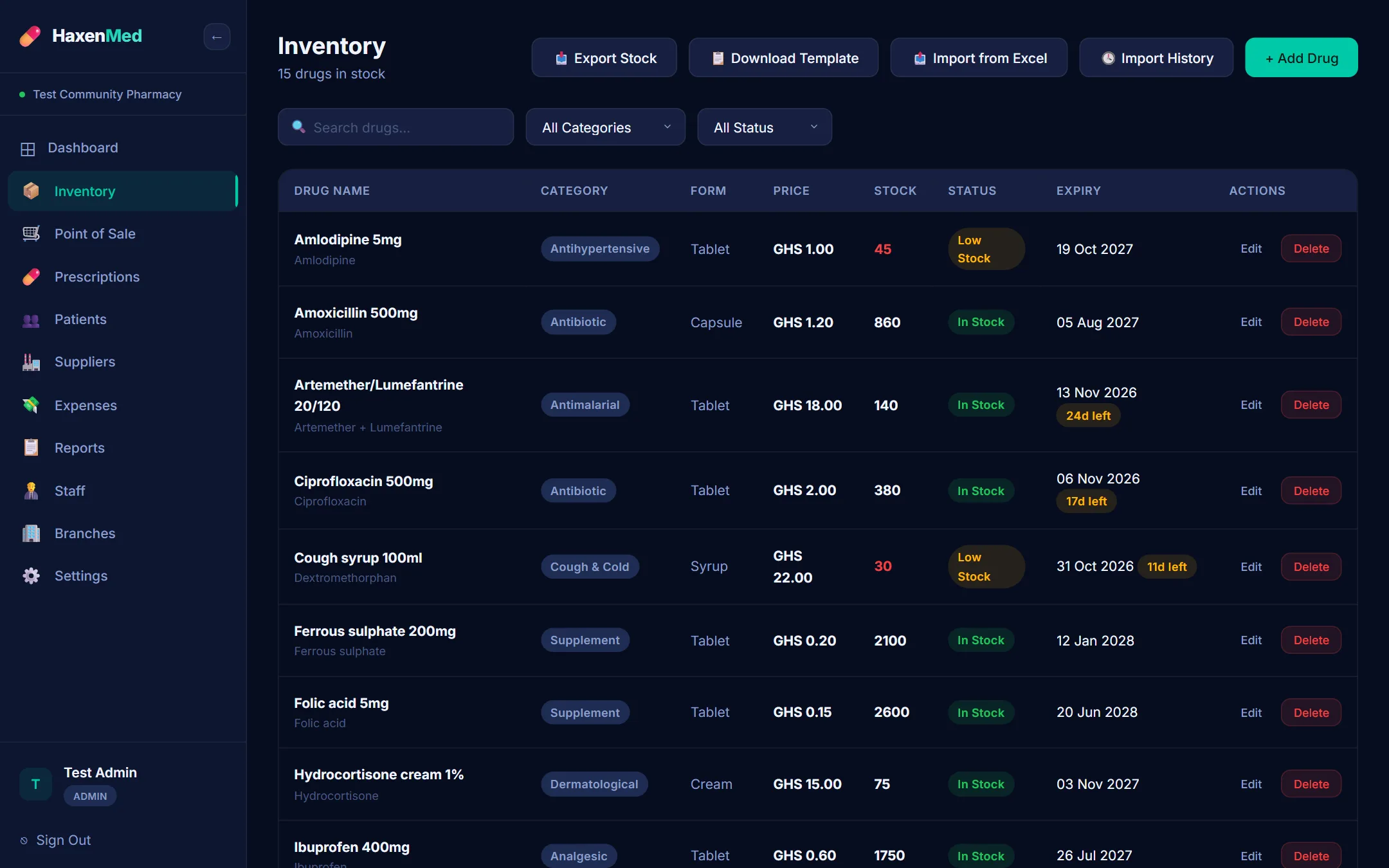
Before it expires, before it runs out
- The dashboard counts the drugs expiring within 30 days, and warns when there are any.
- One click lists them, so they can be moved to the front, sent to another branch, or marked down.
- Low stock and out of stock lists show what to reorder.
- The whole inventory, with its status, can be exported as a spreadsheet.
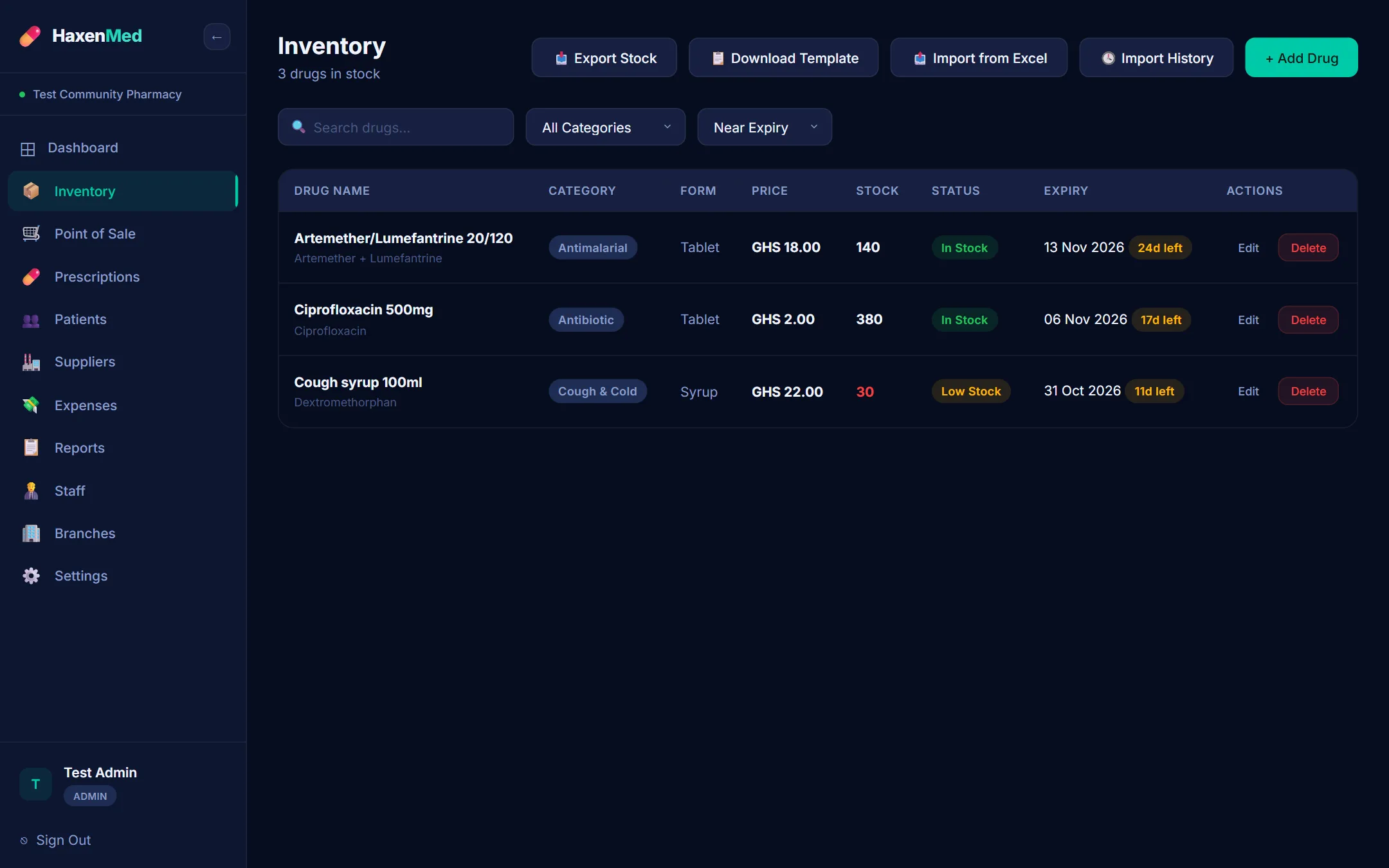
From the supplier to the shelf to the counter
Order
A purchase order to the supplier, with the drugs, quantities and unit costs.
Receive
When the delivery comes, record what actually arrived; the stock goes up by that.
Sell
Each sale at the counter takes the drug off the branch's stock.
Move
Stock sent to another branch comes off one count and onto the other.
Loading your drug list
You do not type your whole pharmacy in by hand. Download the Excel template, fill in your drugs (or paste them from the spreadsheet you use today), and import it.
Checked first
Every row is shown before anything is saved: new, update, skip or error, with the reason.
Your choice
Add new drugs only, or add new drugs and update the ones already there.
On the record
Each import is kept in the import history: when, which file, and how many were added, updated or skipped.
See HaxenMed with your own drugs and prices.
We come to your pharmacy, or meet online, and walk through the sales counter, stock and reports with your own drug list. Or start a 14-day trial yourself.