
What HaxenMed does
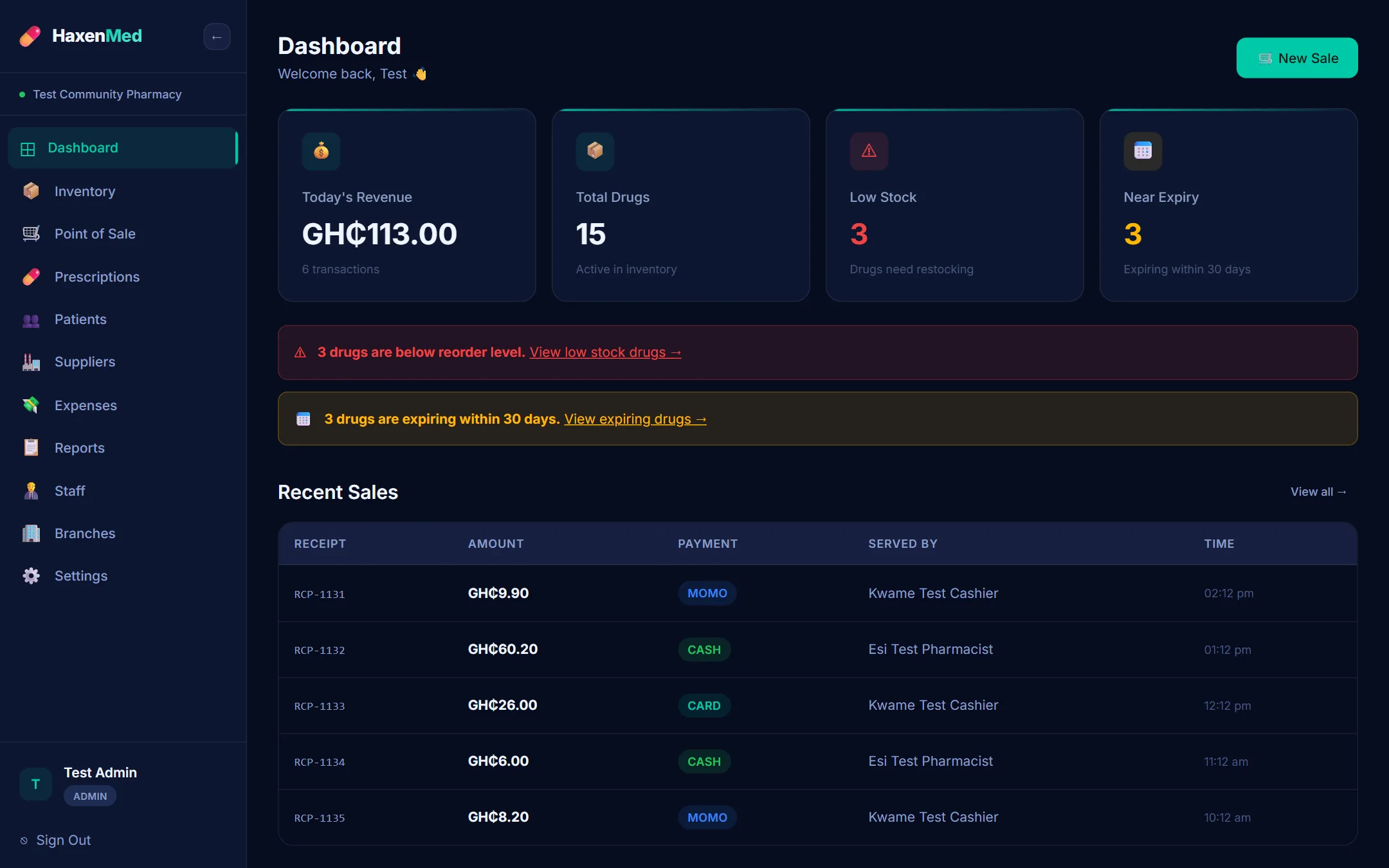
Everything on this page works in HaxenMed today. Each member of staff sees the screens their role allows.
The sales counter
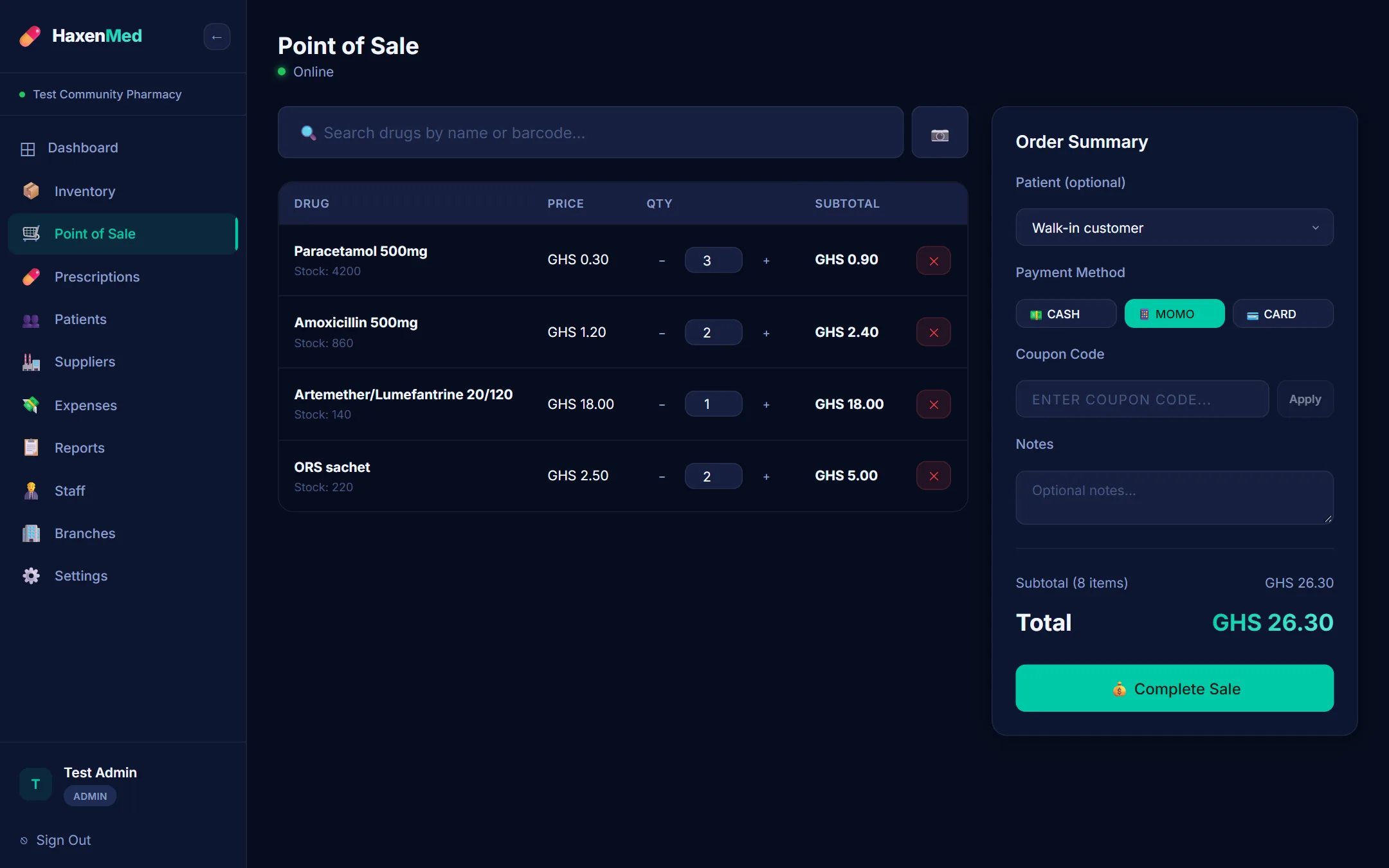
- Find a drug by name as you type, or scan its barcode with a USB or Bluetooth scanner or the device's camera.
- A cart with quantities, each drug's own discount, and coupon codes the owner sets up.
- Payment by cash, MoMo or card, recorded with the sale.
- A receipt to print, with the pharmacy's details and the cashier's name.
- Stock comes off the branch's shelf with each sale.
- Without internet, the counter keeps selling and sends the sales when the connection returns.
Branches
- Each branch keeps its own stock of every drug.
- Stock moved from one branch to another on the record, so both counts stay right.
- Staff work in their own branch; the administrator sees every branch.
- Sales and recent activity shown by branch.
Suppliers and purchases
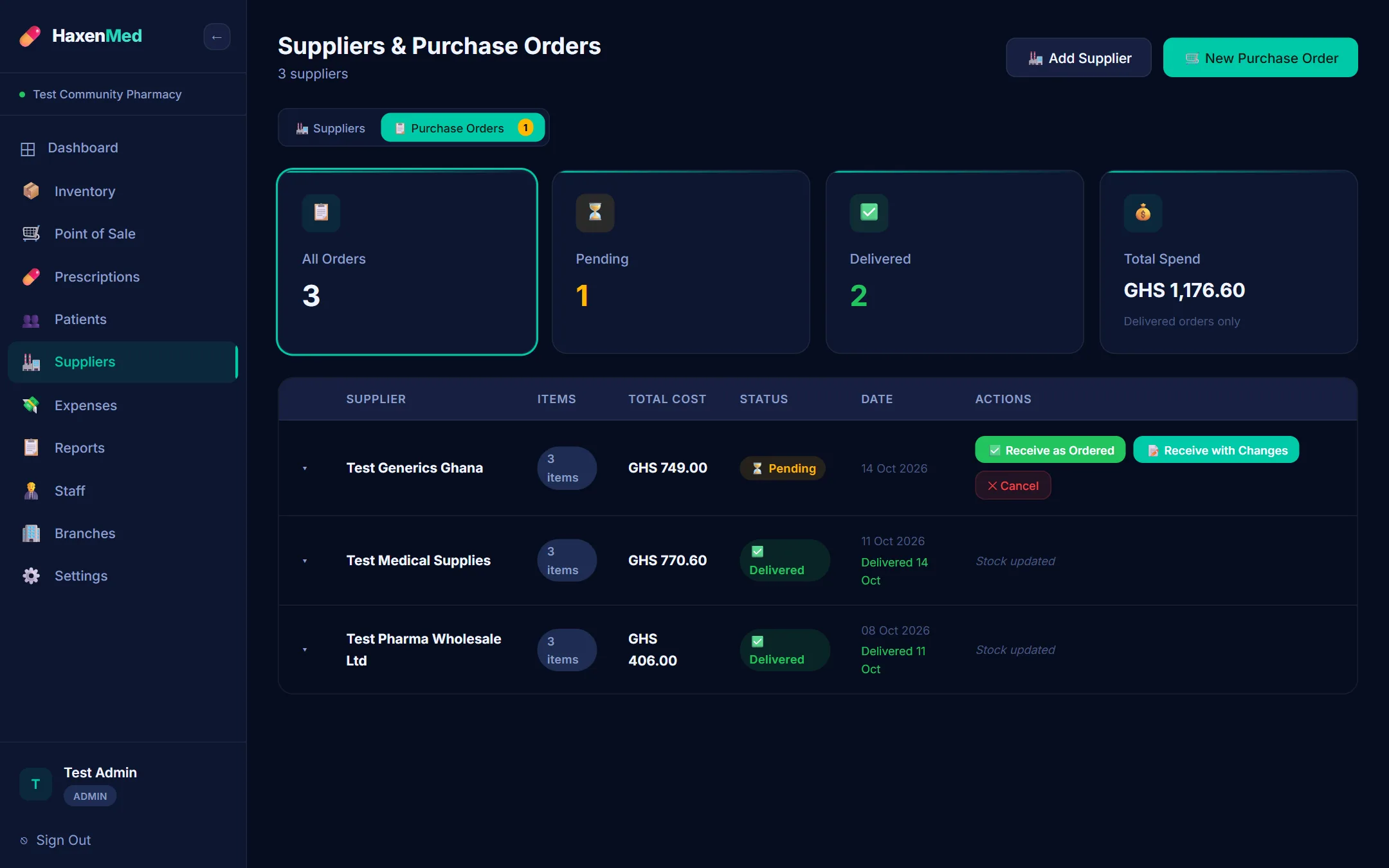
- Your suppliers and their contact details.
- Purchase orders for the drugs you need, with quantities and unit costs.
- When a delivery arrives, mark the order delivered, adjust what actually came, and the stock goes up.
Patients and prescriptions
Patient profiles
Contact details, date of birth, blood group, allergies, chronic conditions, NHIS or insurance number and an emergency contact, with each patient's purchases.
Prescriptions
A prescription recorded with the sale it was dispensed in: the patient, the prescriber and notes.
Reports and accounts
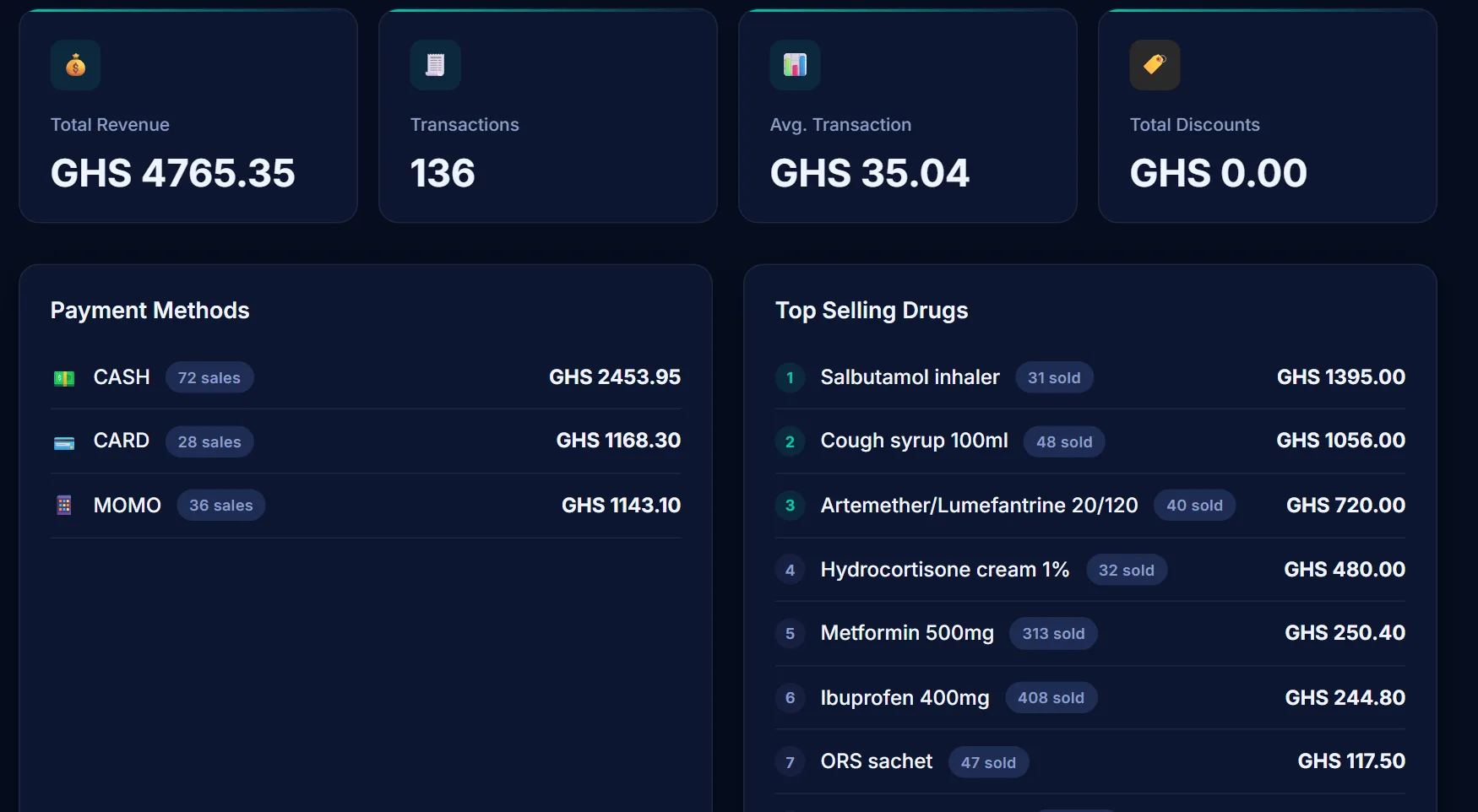
- Sales for any period: revenue, number of sales, payment methods, top-selling drugs and revenue by day, over every sale in the period.
- Sales and expenses exported as spreadsheet files (CSV).
- Expenses by category: rent, salaries, electricity, water, transport, NHIS and FDA fees, and others.
- A profit-and-loss view: revenue, cost of sales, gross profit, expenses and net profit.
Staff and roles
Administrator
Everything: adding drugs and prices, suppliers and purchase orders, expenses and the profit-and-loss view, staff, branches, settings and the subscription.
Pharmacist and cashier
The counter, stock, prescriptions, patients and sales reports, in their own branch. A cashier cannot change patient records.
Each person has their own account. Passwords are stored scrambled (hashed), never as written.
See HaxenMed with your own drugs and prices.
We come to your pharmacy, or meet online, and walk through the sales counter, stock and reports with your own drug list. Or start a 14-day trial yourself.